Create the package
Choose application fields, verification modules, payer model, and property criteria.
 Screening
Most screening workflows still ask teams to trust uploads, chase missing documents, and compare separate reports. Burnt starts with applicant-consented sources and a single reviewable workflow.
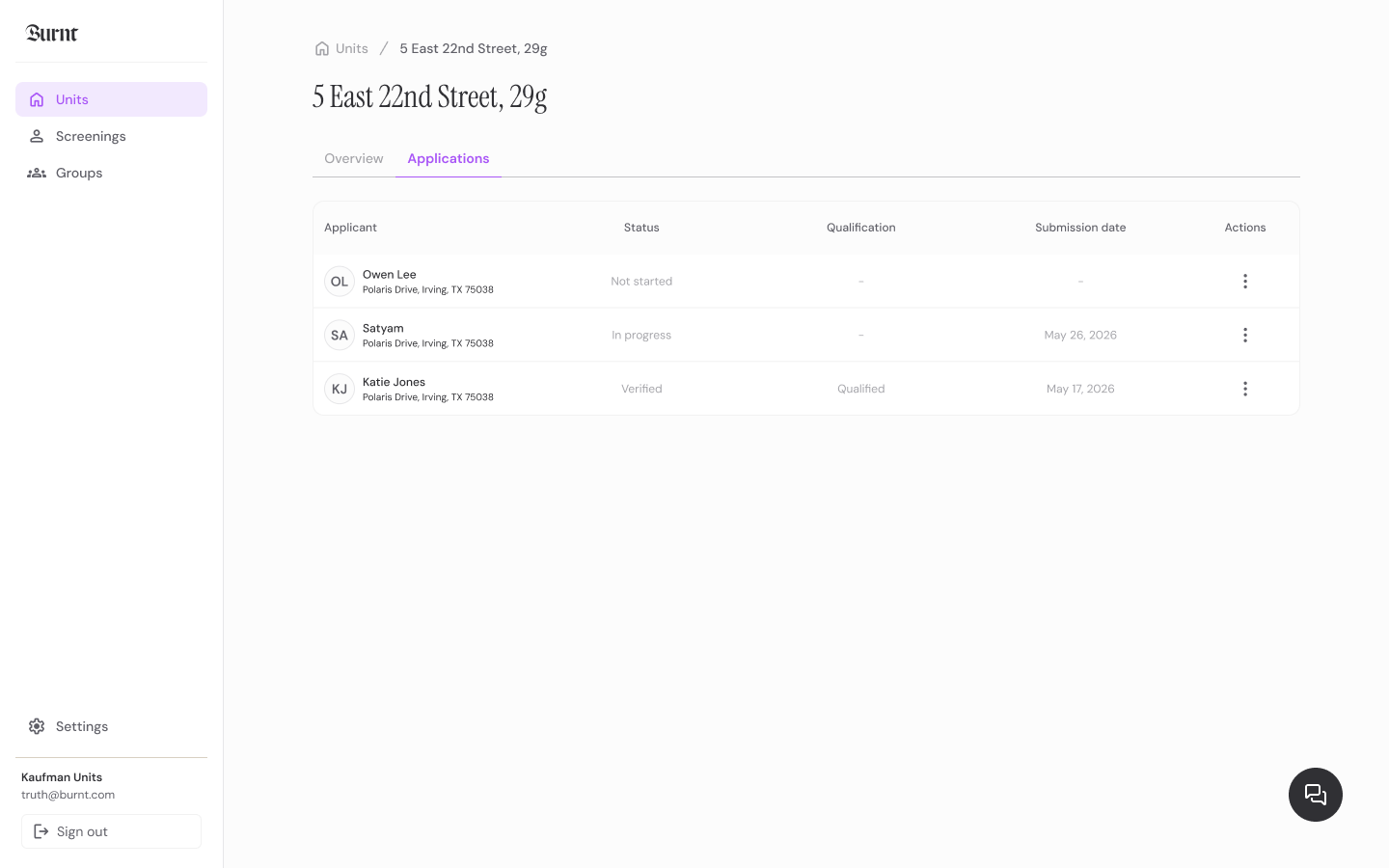
Traditional tenant screening often relies on uploaded documents and separate credit, background, and eviction reports. Burnt improves the workflow by verifying income and employment at the source, tracking applicant progress, and presenting partner checks with criteria context.
Create the package, send the link, guide the renter, review the result. That simple path keeps screening understandable for applicants and manageable for teams.
Choose application fields, verification modules, payer model, and property criteria.
Invite the applicant by email, SMS, listing, dashboard action, or connected workflow.
The renter consents, verifies identity, connects sources, and completes requested partner steps.
Your team sees status, source-backed facts, partner context, exceptions, and notes together.
The point is not just to run checks. The product has to help the buyer start screening, help the applicant finish, and help the reviewer understand what is ready.
Ask applicants to connect sources instead of emailing files.
Bring partner credit, background, and eviction modules into the same package.
Use the same criteria and decision record across applicants.
Reviewers get status and exceptions in the dashboard. Renters get focused mobile steps. The handoff stays visible as the package moves forward.
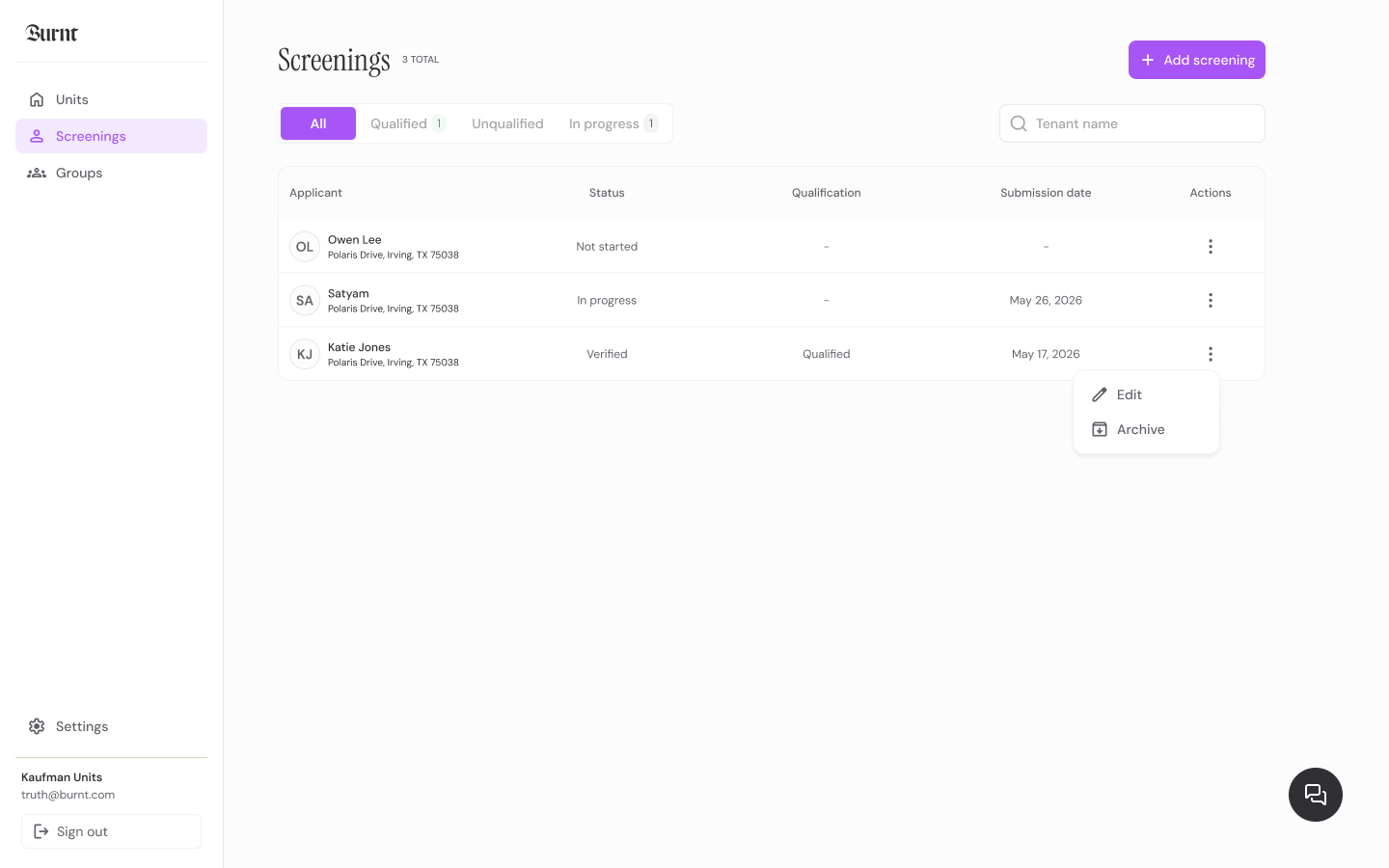
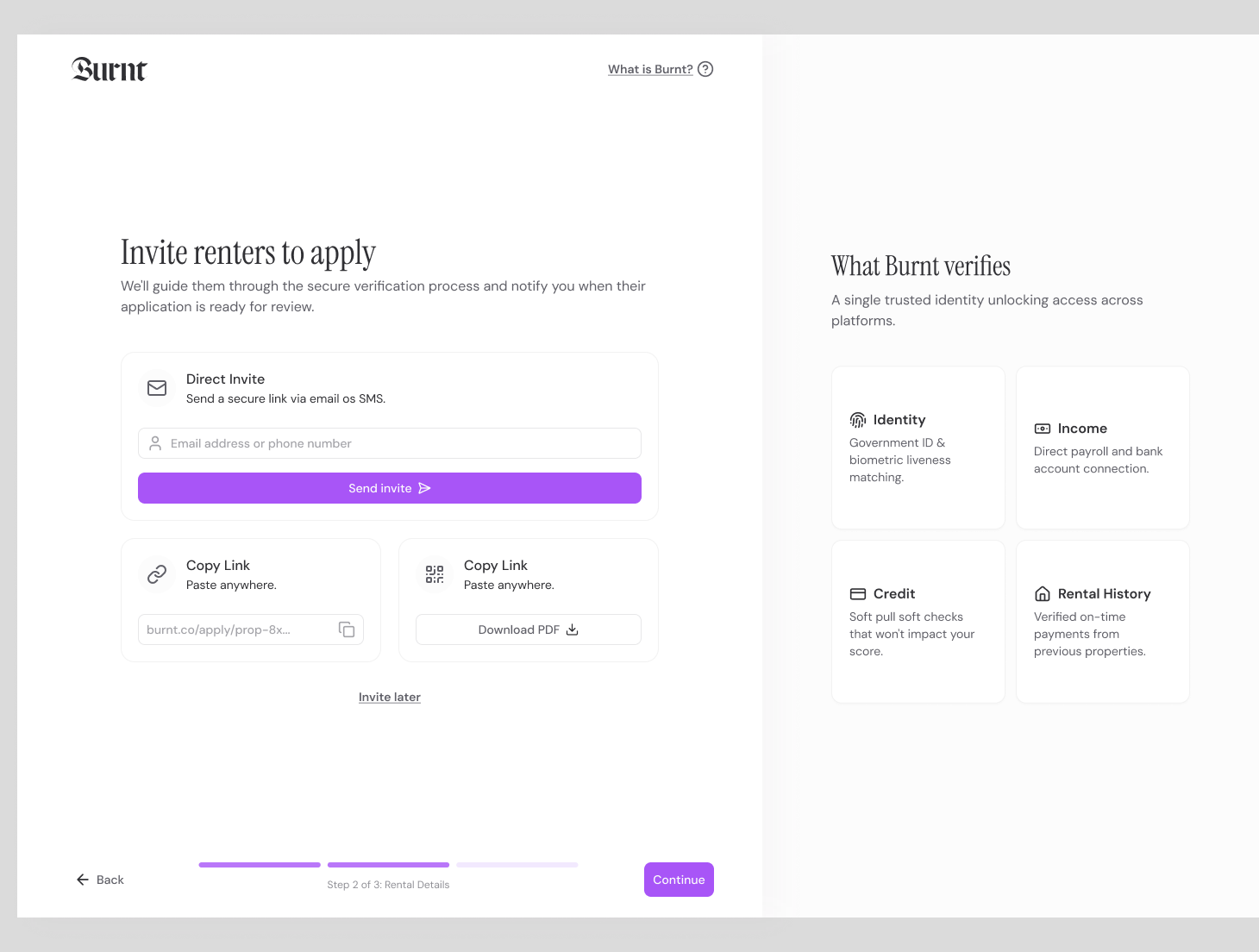
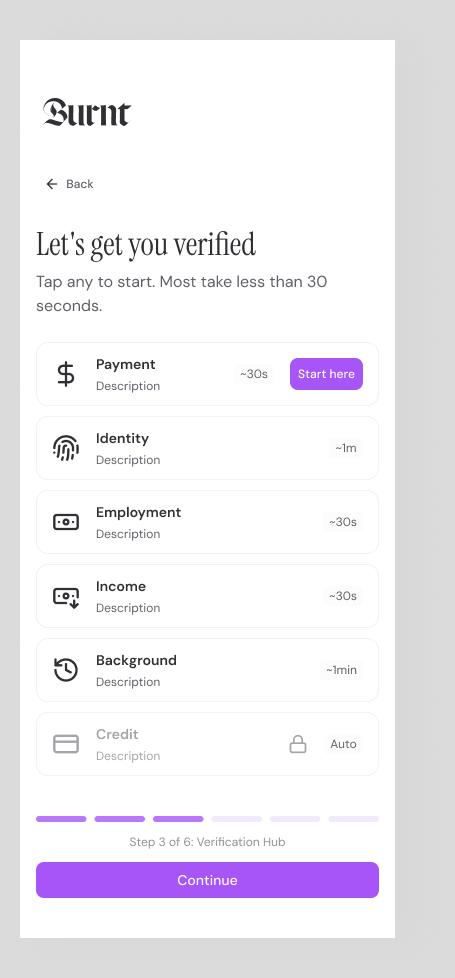
Burnt keeps the screening output compact, scannable, and tied to the workflow your team actually uses.
Applicant data from connected sources
Document fallback only where needed
One package with report status
Criteria and audit context
Ask applicants to connect sources instead of emailing files.
Bring partner credit, background, and eviction modules into the same package.
Use the same criteria and decision record across applicants.
Whether you run one unit or a national portfolio, each workflow keeps the answer focused and the next step clear.
Launch with screening links or talk through a portfolio workflow with the Burnt team.