Create the package
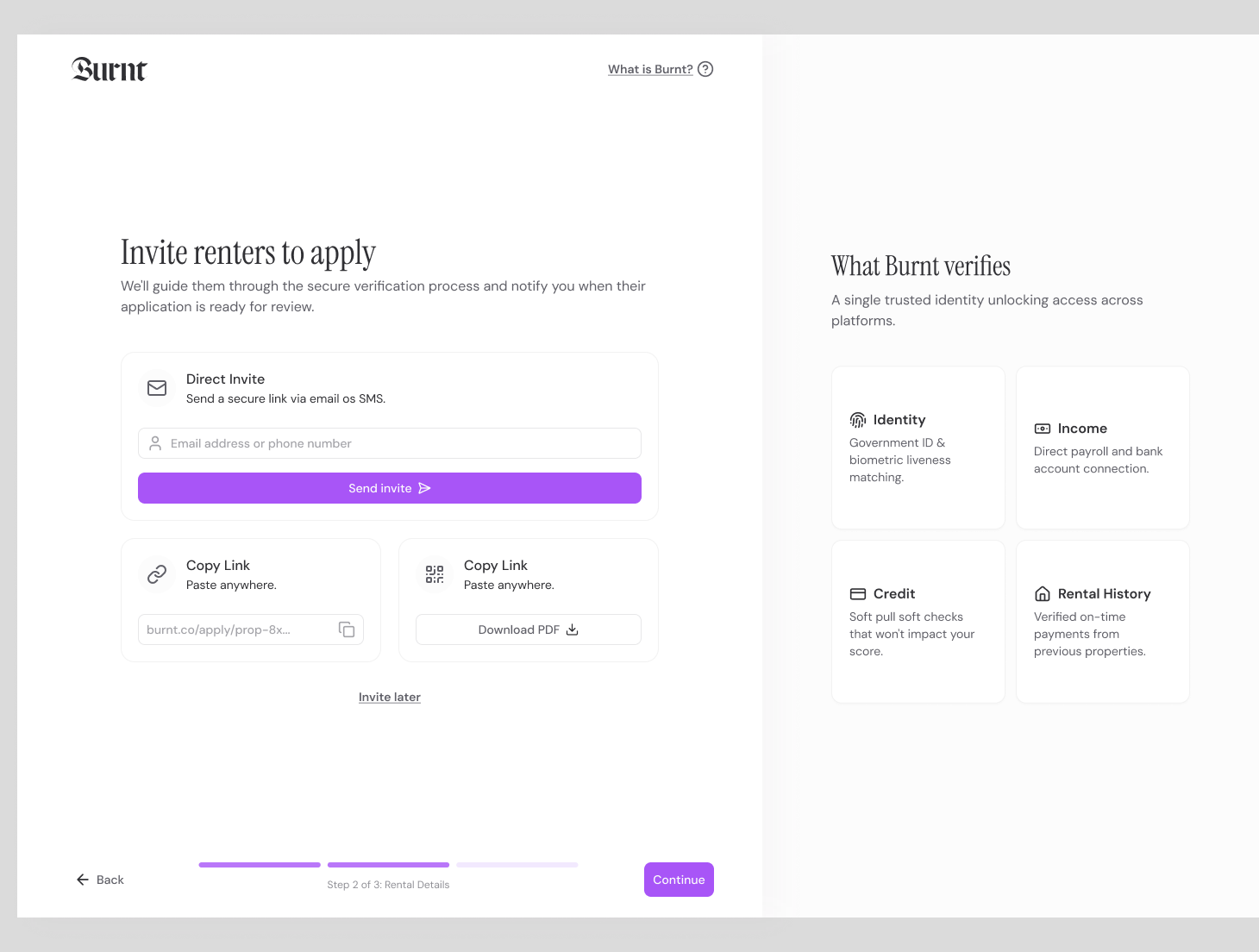
Choose application fields, verification modules, payer model, and property criteria.
 Screening
Burnt connects the application, consent, verification steps, and partner reports so teams are not stitching together PDFs after the renter applies.
An online rental application collects applicant details, rental history, employment, income, references, and screening consent. Burnt pairs that application with source verification and partner screening modules so the final package is easier to review.
Create the package, send the link, guide the renter, review the result. That simple path keeps screening understandable for applicants and manageable for teams.
Choose application fields, verification modules, payer model, and property criteria.
Invite the applicant by email, SMS, listing, dashboard action, or connected workflow.
The renter consents, verifies identity, connects sources, and completes requested partner steps.
Your team sees status, source-backed facts, partner context, exceptions, and notes together.
The point is not just to run checks. The product has to help the buyer start screening, help the applicant finish, and help the reviewer understand what is ready.
Choose required fields, document requests, and screening modules.
Share an application link by email, SMS, listing, or QR code.
View the application and verification results together.
Reviewers get status and exceptions in the dashboard. Renters get focused mobile steps. The handoff stays visible as the package moves forward.
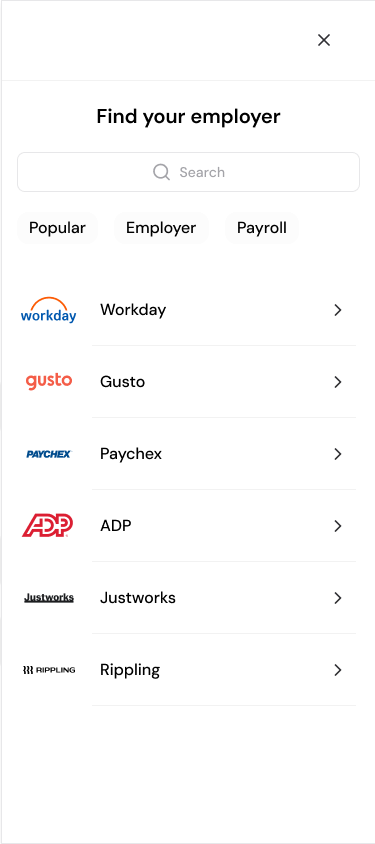
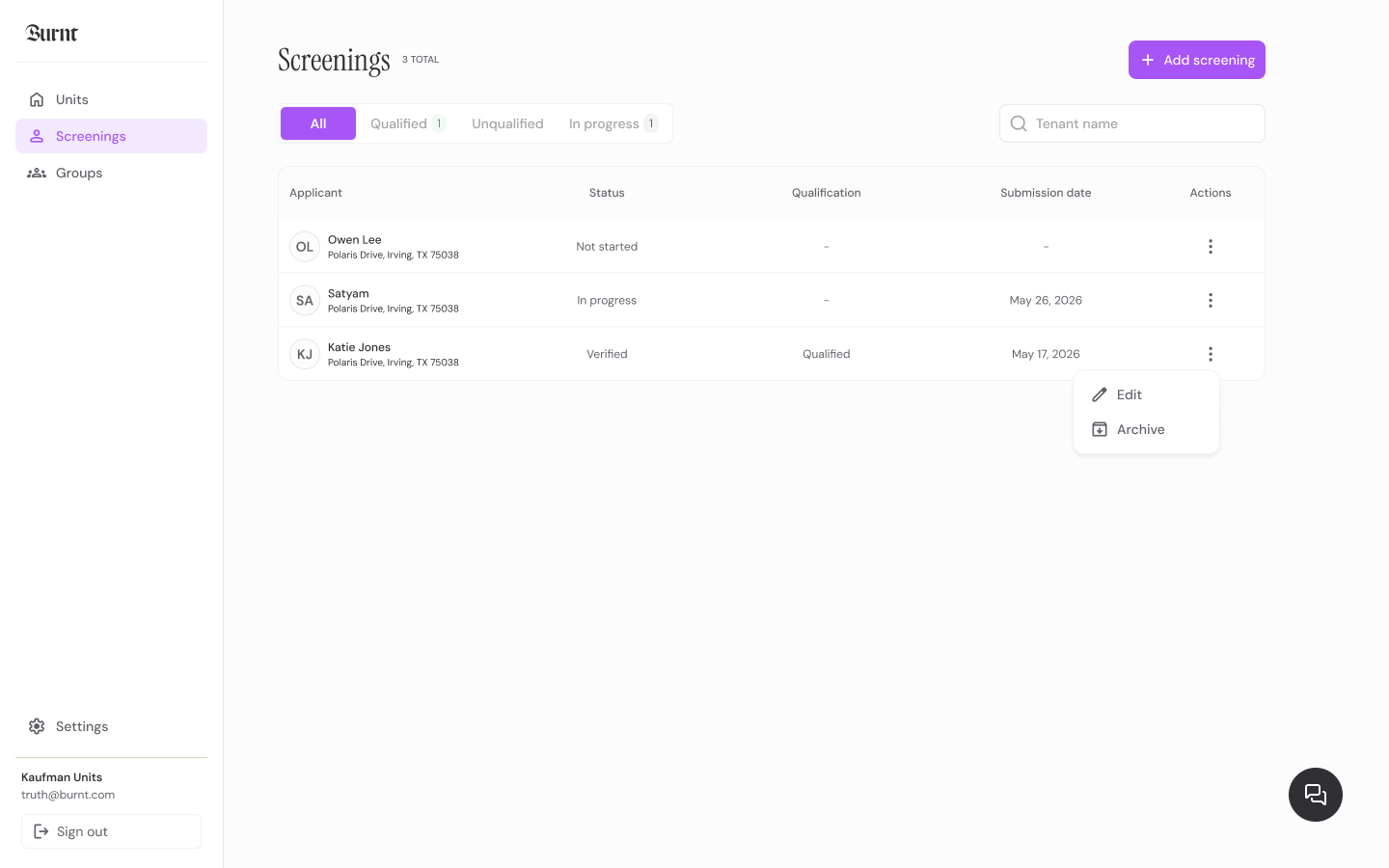
Burnt keeps the screening output compact, scannable, and tied to the workflow your team actually uses.
Applicant and household details
Rental history and residence fields
Income, employment, and identity verification status
Partner report and document request status
Choose required fields, document requests, and screening modules.
Share an application link by email, SMS, listing, or QR code.
View the application and verification results together.
Whether you run one unit or a national portfolio, each workflow keeps the answer focused and the next step clear.
Launch with screening links or talk through a portfolio workflow with the Burnt team.