Create the package
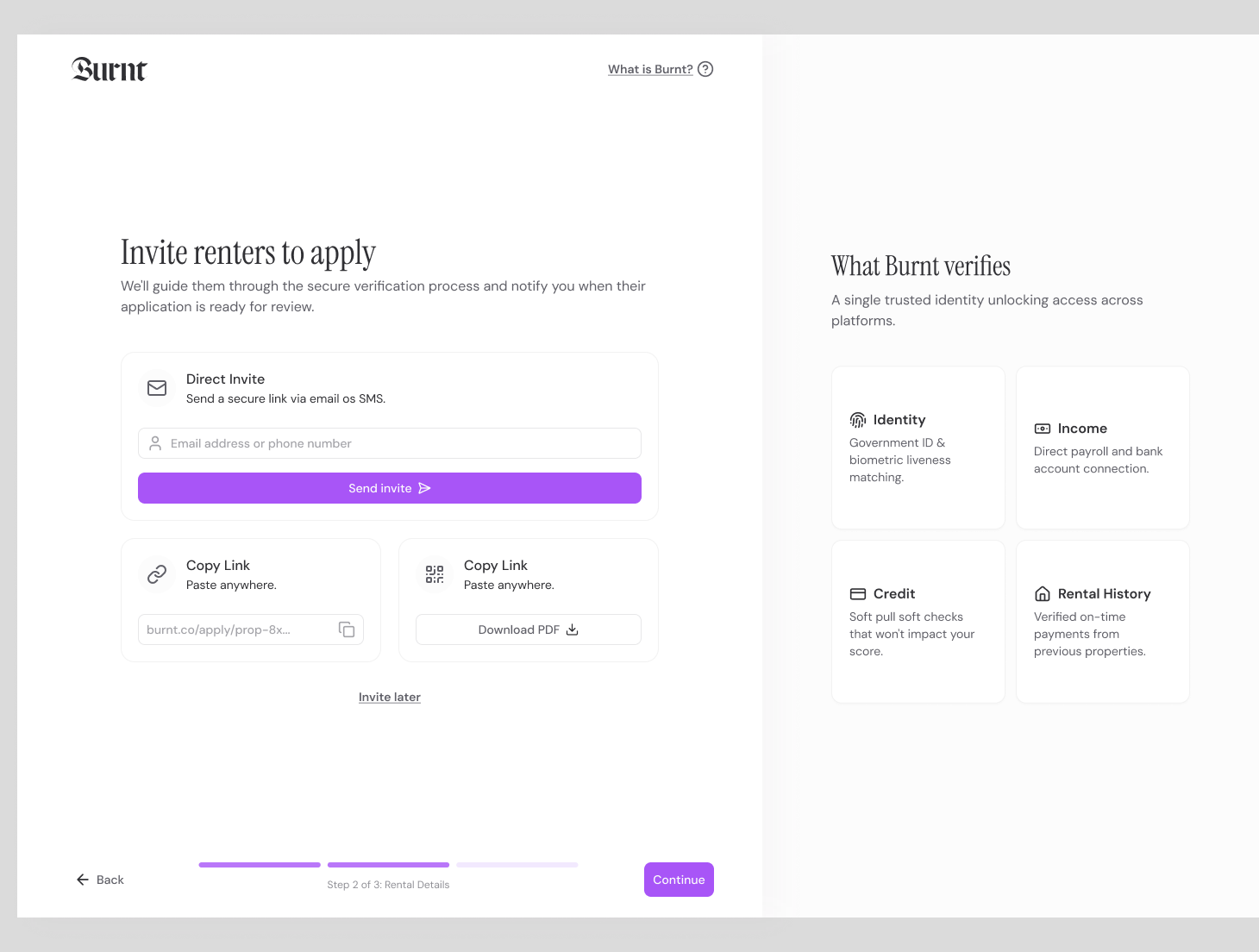
Choose application fields, verification modules, payer model, and property criteria.
 Screening
Document review asks teams to decide whether a file looks real. Burnt reduces that burden by checking facts from source systems and flagging the cases worth attention.
Rental application fraud detection identifies suspicious, inconsistent, or forged applicant information. Burnt focuses on reducing the document-fraud surface by verifying income and employment at the source wherever possible.
Create the package, send the link, guide the renter, review the result. That simple path keeps screening understandable for applicants and manageable for teams.
Choose application fields, verification modules, payer model, and property criteria.
Invite the applicant by email, SMS, listing, dashboard action, or connected workflow.
The renter consents, verifies identity, connects sources, and completes requested partner steps.
Your team sees status, source-backed facts, partner context, exceptions, and notes together.
The point is not just to run checks. The product has to help the buyer start screening, help the applicant finish, and help the reviewer understand what is ready.
Adds document fraud to the screening package and chooses the criteria or review context that matters for the property.
Burnt reconciles identity, income, employment, and application fields.
Verify before uploads, Reduce document triage, Flag mismatches in the same review package as the rest of the application.
Reviewers get status and exceptions in the dashboard. Renters get focused mobile steps. The handoff stays visible as the package moves forward.
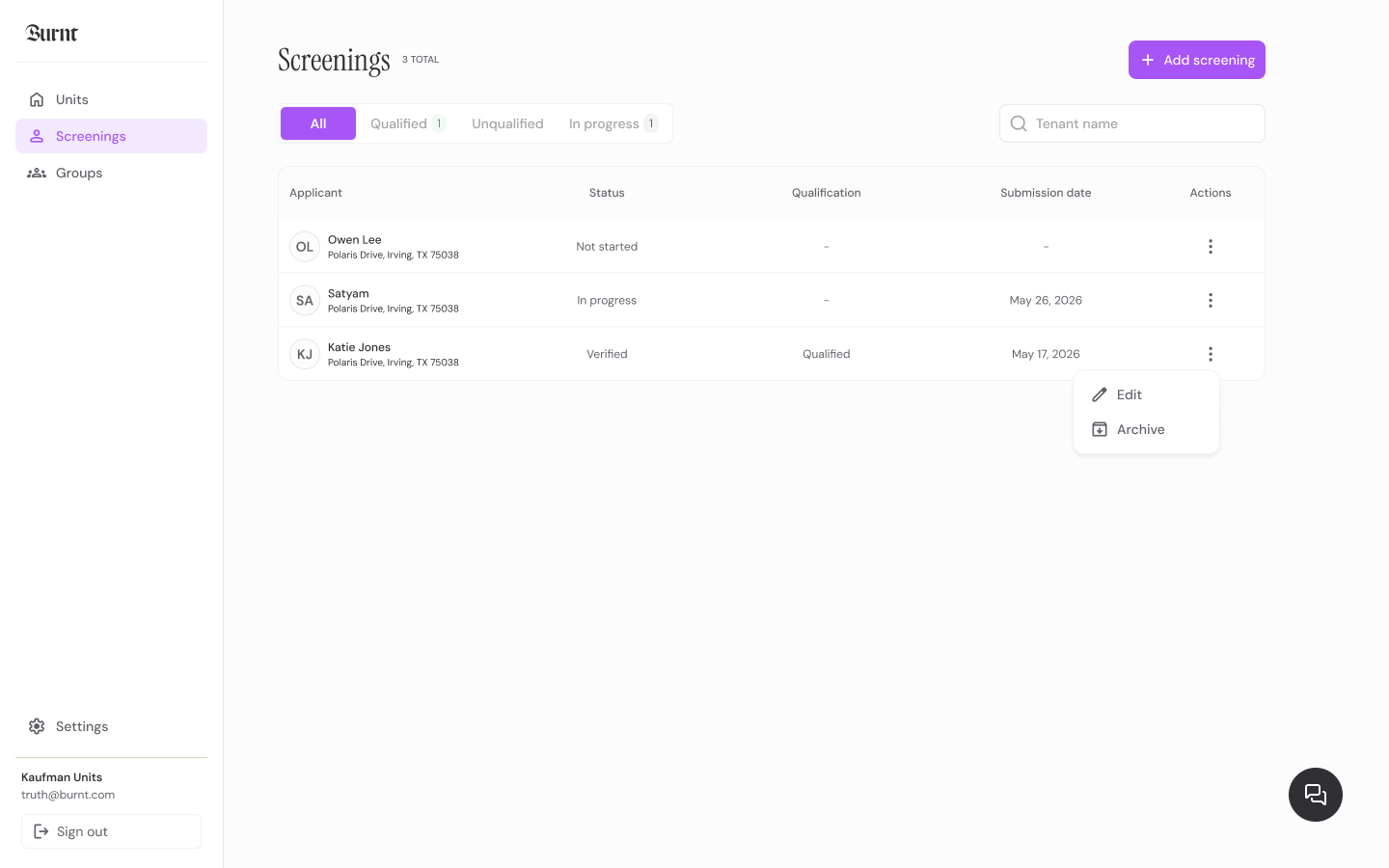
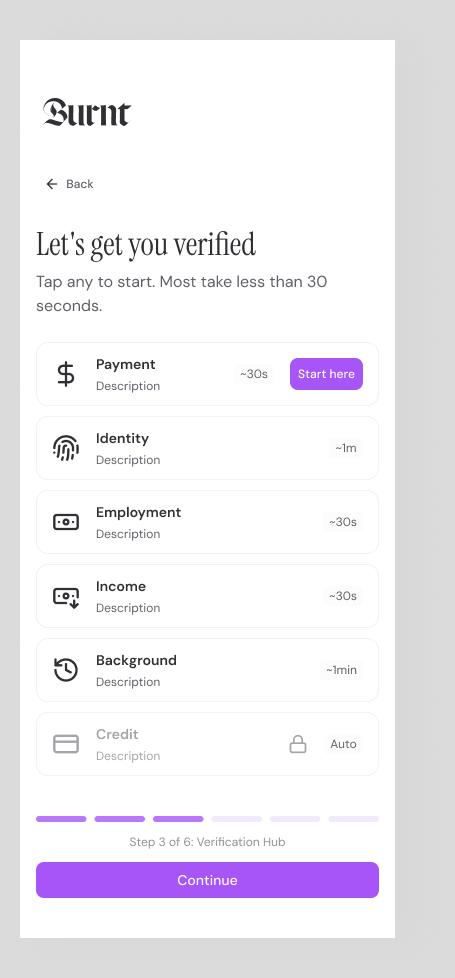
Burnt turns document fraud into a clear report signal instead of another disconnected tab or document request.
Income and employment mismatch flags
Identity-to-source consistency
Suspicious document fallback context
Review queue prioritization
Use source verification for income and employment wherever possible.
Burnt reconciles identity, income, employment, and application fields.
Teams review high-signal inconsistencies instead of every PDF.
Whether you run one unit or a national portfolio, each workflow keeps the answer focused and the next step clear.
Launch with screening links or talk through a portfolio workflow with the Burnt team.