Open the link
The renter starts from the screening link sent by the property team.
 Screening
Applicants should understand what the property requested, why each step matters, what Burnt verifies, and where to get help if something does not look right.
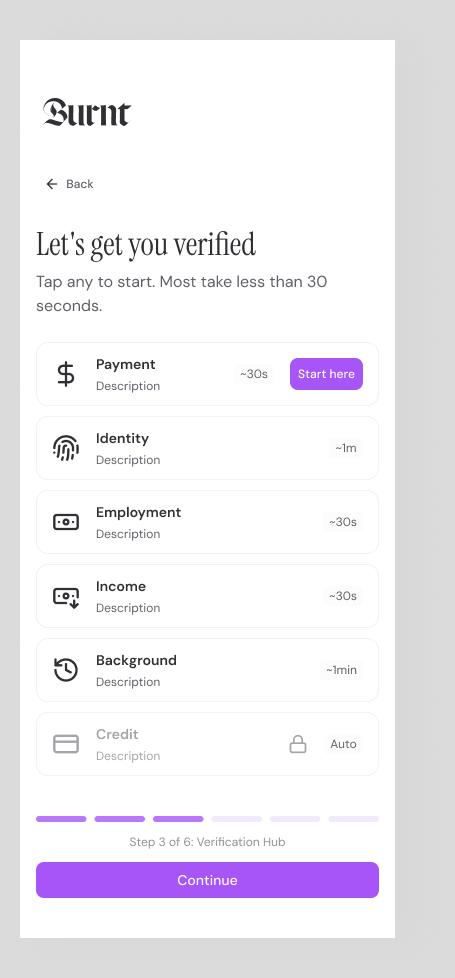
The renter screening process starts when an applicant opens the property-specific link, reviews the requested steps, provides consent, completes identity and source-verification steps, and follows any partner-check or fallback instructions included in the package.
Create the package, send the link, guide the renter, review the result. That simple path keeps screening understandable for applicants and manageable for teams.
The renter starts from the screening link sent by the property team.
They see the requested steps before consenting and completing the flow.
Where available, income and employment are verified from source systems instead of uploads.
Status, fallback, and support paths are clearer than a pile of email attachments.
The point is not just to run checks. The product has to help the buyer start screening, help the applicant finish, and help the reviewer understand what is ready.
Opens the property link, reviews the requested steps, consents, and completes identity or source connections in a guided flow.
Keeps the flow mobile-friendly, labels requested checks, and routes fallback steps without making the applicant decode the process.
Completion status, verified fields, partner report context, and exceptions needed to keep the application moving.
Reviewers get status and exceptions in the dashboard. Renters get focused mobile steps. The handoff stays visible as the package moves forward.
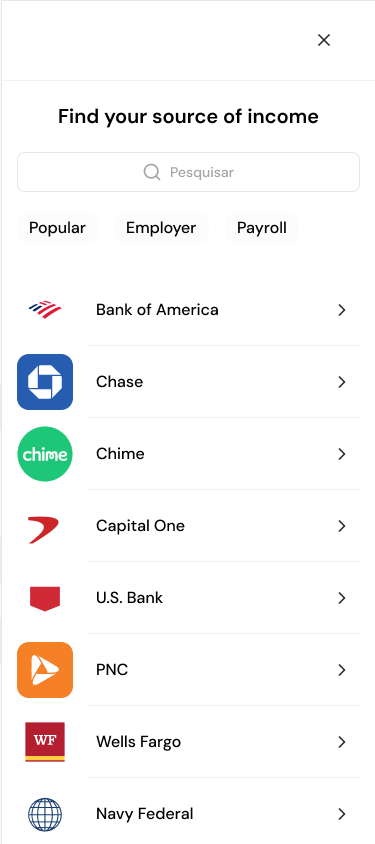
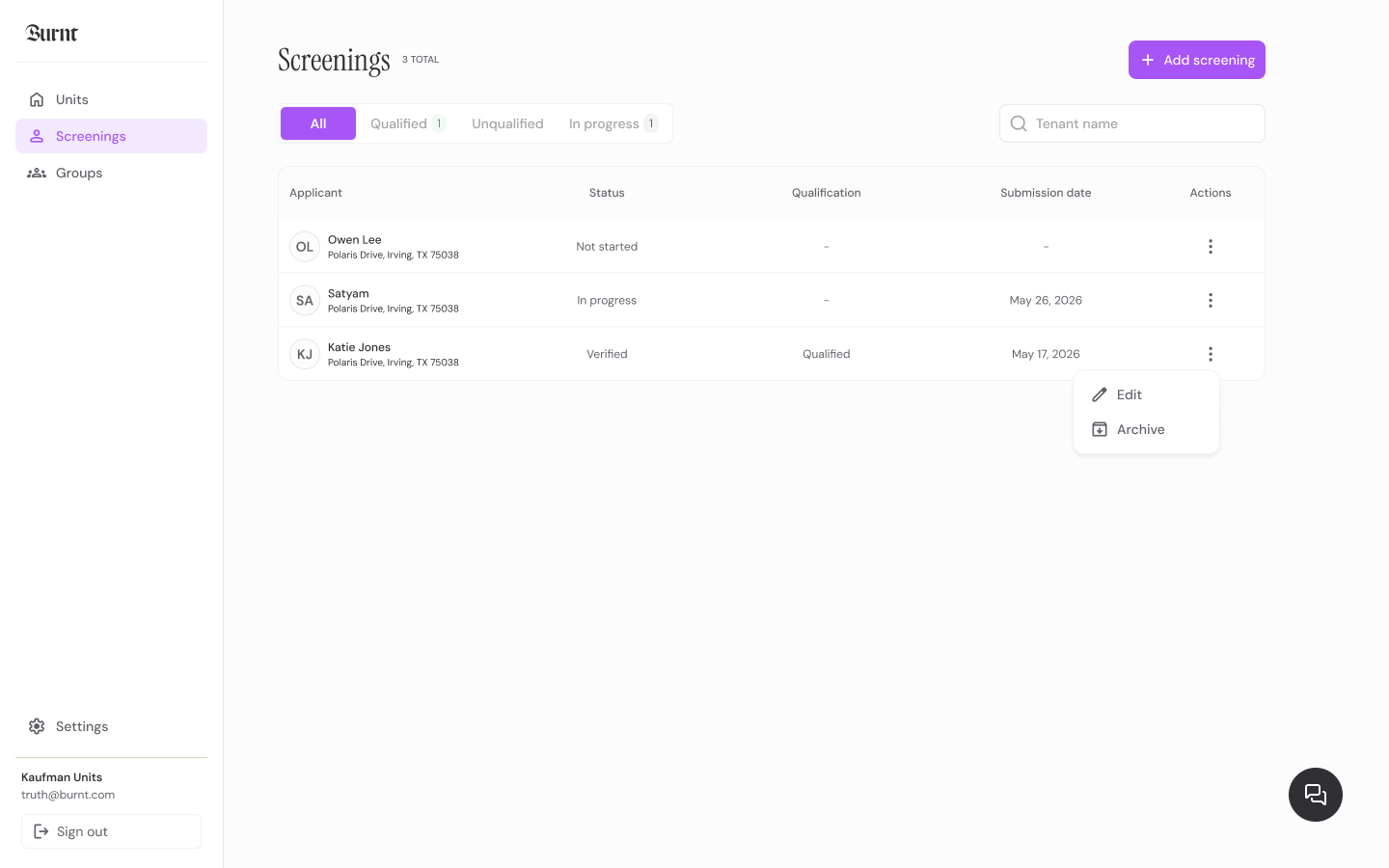
A good applicant flow gives renters enough context to finish and gives the property team enough status to follow up thoughtfully.
Property and package context
Consent and requested steps
Source connection or fallback status
Support and report-question routing
The applicant starts from the screening link supplied by the landlord, manager, or property representative.
The applicant follows identity, income, employment, document fallback, and partner-check steps requested by the package.
Applicants can email support@burnt.com for Burnt workflow questions and follow partner report instructions for consumer-report disputes.
Renters may be applying from a phone, gathering household information, or trying to understand what the property needs next.
Launch with screening links or talk through a portfolio workflow with the Burnt team.